Search Term:

Tuesday, September 8, 2009

Searching Google Through SMS Without Any Web Application


It is a simple procedure to use Google search directly from your mobile phone.


Follow the step-by-step procedure to find anything through an SMS without any web application.


1. Open messaging on your phone.
2. Go for new text message and type your search query.
3. Sms server). SMS serveur). Send to 466,453 (Google SMS server).
4. Thats it. Does! you receive the results via SMS.


For sports results

* Enter the name of the sports team

* Examples: “Arsenal”.

For more info send aid to 466453.

Opera Mini browser 4.2 free download

With Opera MIni browser you can access full internet with fast speed. You can view your all favorite websites, download songs, mp3 files, and other other files on the move with Opera.
Opera mini web browser’s new version 4.2 contains many new options for customization and shorting loading time. The new version has a new collection of nice themes, support is improved on more phones for YouTube and other video services. Now your mobile can work on you tube’s Mobile version. Opera Mini browser give you complete web experience anywhere. Download Now it is free.

Click here to download

Monday, September 7, 2009

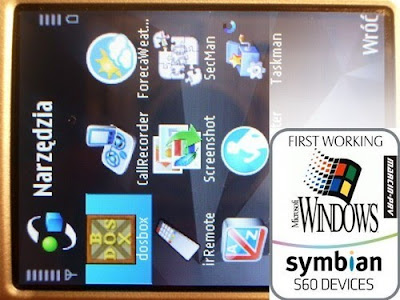
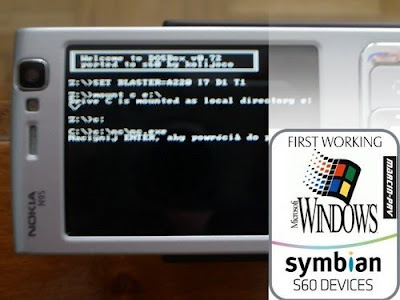
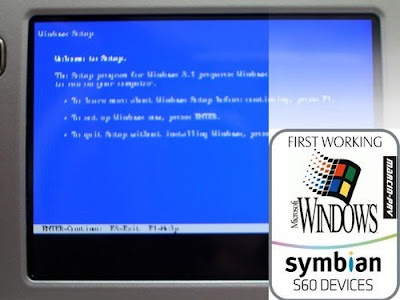
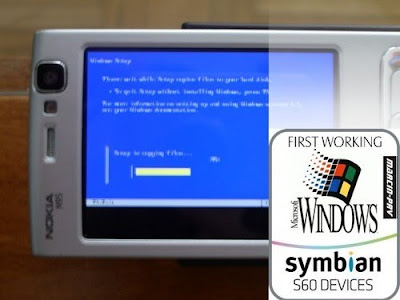
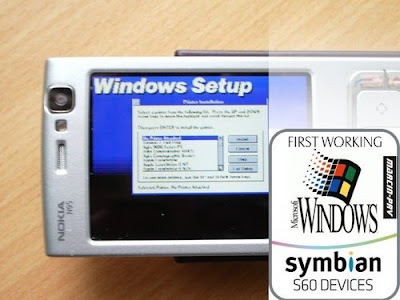
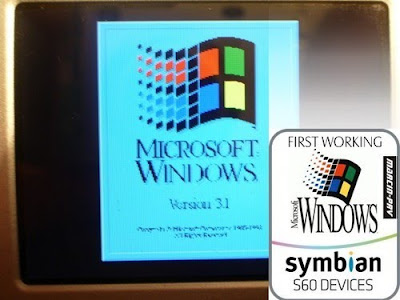
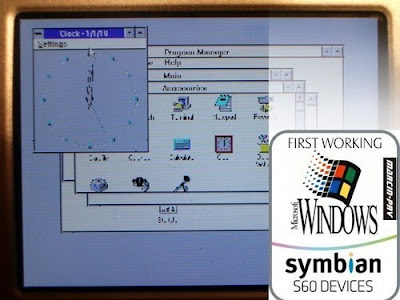
First Windows on Symbian S60 Device


UPDATE

Using new version of DOSBox you can allocate up to 12MB RAM for Windows 3.1 on Nokia 95-1 or similar phones. Also you can disable standard Windows Shell (Program manager) and use only Calmira II.

1. Do all steps from instruction.
2. Edit 'e:\Data\dosbox.conf' file and change memsize=8 or more.
3. Edit 'e:\Data\dosbox.conf' file ane change end line to:

c:\windows\win.com /s

4. Edit 'e:\Data\Windows\system.ini' file to include:

;shell=progman.exe


shell=c:\Programs\Calmira\Calmira.exe

INSTALLATION GUIDE v1.2 (ENGLISH)

I. DOSBox v0.72 for Symbian by kolijoco (release 20090305)

1. Uninstall previous DOSBox versions.
2. Unpack 'DOSBox_s60.rar' archiwe to your Memory Card
3. Install ALL aplication from 'Install' directory.
4a. Install 'dosbox.sisx' on Nokia N95-2, N82 or similar (with 128 MB RAM).
4b. Install 'dosbox_slim.sisx' on Nokia N95-1 or similar (less RAM mamory).

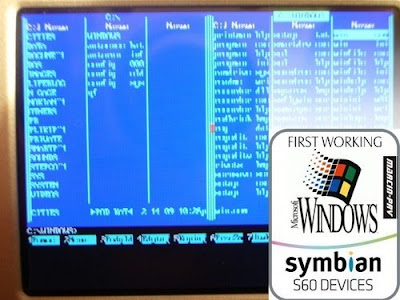
II. Windows 3.1 for Symbian (included Norton Commander 5)

1. Unpack 'Win31en.rar' archive to your Memory Card.
2. Run installed DOSBox.

III. changes from release 1.0:

- Added MCGA (320x200) Driver
- Added Win32s v1.30c with OLE

IV. Suggestions

1. To change DOSBox allocated 2MB RAM edit line 'memsize=2' in file 'e:\Data\dosbox.conf'.
2. If your mobile phone have enough RAM memory you can install Sound Blaster 16 driver:
Control Panel -> Drivers -> Add -> Creative Lab Sound Blaster 1.5 -> RestartV. Using T9 Keypad

Receive Call (Green) - Switching Mode
End Call (Red) - Exit from DOSBox
Pen Key – Shift
Delete (C) – Backspace
Thumb Pad - Arrow Keys, Enter
Right Key – Escape
Left Key – Space

Mode 1:

First line keys = a d g j m p t w space
First line keys + Pen =: A D G J M P T W space
Second line keys + * = b e h k n q u x .
Second line keys + * = Pen + * B E H K N Q U X
Third line keys + # = c f i l o r v y \
Third line keys + Pen + # = C F I L O R V Y
Fourth line keys + 1 = s z
Fourth line keys + Pen + 1 = S Z

Mode 2:

Numbers = 1 2 3 4 5 6 7 8 9 0
Numbers + Pen = ! @ # $ % ^ & * ( )

Mode 3:

Thumb Pad - Moving mouse
* = Right mouse button# = Left mouse button
Screenshot from installation:


Click here to download

Disclaimer

Disclaimer: This blog does not host any files on its server. All Mobile Phone Softwares,Wallpapers, Games, Themes Sport Links or any other stuff on this blog have been collected from various sources from Public Domains. So I am not responsible for any kind of deletion of files or copyright matters. If you are the rightful owner of anything and object to them being displayed, please COMMENT on my blog or Email us blogformobile@yahoo.com for removal.