Search Term:
Showing posts with label Free Iphone Applictaions. Show all posts

Saturday, October 31, 2009

Hotel Negotiator iPhone App Features William Shatner


Hotel Negotiator iPhone App Features William Shatner


Hotel Negotiator description

Designed for travelers who are on the road or at an airport and need a hotel room.

Power up priceline.com's Hotel Negotiator app and let the Priceline Negotiator, William Shatner, find you last-minute Name Your Own Price hotel rooms that you can book at savings of up to 50%.

Here are some key features of "Hotel Negotiator":

· Choose a city and see multiple winning hotel bids for the hotel star levels and parts of the city you want.
· Give a shake to see winning hotel bids for the neighborhood you're standing in and surrounding areas.
· You'll instantly know if your bid was successful. If it was, your booking will be processed and you'll see all the details on your hotel.
· Not in the mood to negotiate? Give a shake and you'll see all the hotels and published rates in the neighborhood you’re in. Or type in another city to see that list.
· Priceline's 1-page checkout screen makes hotel booking a snap.

Requirements:

· Compatible with iPhone and iPod touch
· iPhone OS 3.0 or later

http://itunes.apple.com/WebObjects/MZStore.woa/wa/viewSoftware?id=336381998&mt=8

Priceline.com has released Hotel Negotiator, an application for iPhone and iPod touch featuring William Shatner (Star Trek’s Captain Kirk). The application allows travelers to use their devices and quickly book last-minute hotel rooms using priceline.com’s Name Your Own Price hotel service. According to Priceline, the method also enables users to save up to 50% over published hotel rates.

“Our Hotel Negotiator App is designed for travelers who are on the road or at an airport and decide at the last minute that they need a room for the night,” priceline.com Chief Marketing Officer Brett Keller said. “The app also works for travelers who prefer to make their hotel arrangements after they’ve arrived in a city and have become familiar with the geography. Hotel Negotiator lets them use their iPhone or iPod touch to quickly negotiate the price and book a room from priceline.com’s comprehensive assortment of quality hotel rooms up until 11:00 p.m. ET on the night they need the room.”

According to priceline.com, Hotel Negotiator includes the following key features:

The Priceline Negotiator - Activate the Hotel Negotiator App and The Priceline Negotiator (William Shatner) gets the whole phone vibrating as he punches his way through the screen.

Winning Bids recommendations - Choose a city and the Hotel Negotiator App displays multiple recent winning bids made by other priceline.com customers for hotels in different parts of the city at different star levels.

Shake-Down geo-locator-triggered hotel search - Shaking the device establishes the traveler’s location using location-based features and then performs a Winning Bids search for hotels in the surrounding areas.

One-Page checkout - A specially designed one-page checkout screen speeds users through the bidding process.

Instant Bid Results - Users will know instantly whether their bid is accepted. If it is, they’ll receive all the details on their hotel and its location.

Native iPhone navigation - Users will instantly recognize the slides and wheels that help them navigate through the Hotel Negotiator shopping and booking experience.

For those who are not in the mood to negotiate, the Hotel Negotiator app also contains an option for browsing priceline.com’s range of published-price hotels for a particular city or town. By choosing a city or by shaking the device, browsing is initiated, at which point a selection of hotels within that specific area is brought up.

Download Hotel Negotiator app for iPhone (Free)

http://itunes.apple.com/WebObjects/MZStore.woa/wa/viewSoftware?id=336381998&mt=8

Apple Updates iPhone Remote App to Version 1.3.2 - Free Download

Apple Updates iPhone Remote App to Version 1.3.2 - Free Download
Adds support for iTunes 9 and Apple TV 3.0


Remote description

With Remote you can control the music on your computer or Apple TV from your iPod touch or iPhone.

Remote works with your Wi-Fi network, so you can control
playback from anywhere in and around your home.

Here are some key features of "Remote":

· Control the music on iTunes or Apple TV
· See the album artwork on your Remote
· Create and update Genius playlists
· Edit playlists in iTunes
· Search your whole iTunes library
· Control your AirTunes speakers
· Control your Apple TV with simple finger gestures

Requirements:

· Compatible with iPhone and iPod touch
· iPhone OS 3.0 or later


Download Remote for iPhone (Free)

(compatible with iPhone and iPod touch; requires iPhone OS 3.0 Software or later)

http://itunes.apple.com/WebObjects/MZStore.woa/wa/viewSoftware?id=284417350&mt=8

The Apple-developed Remote application for iPhone and iPod touch has been updated to version 1.3.2, adding support for Apple TV 3.0, while fixing compatibility with the latest version of iTunes. Remote lets users control music playback and volume, build and update Genius playlists, edit iTunes playlists, and more, and can control both iTunes and Apple TV, as well as Front Row on a Mac. Remote is a free application for iPhone and iPod touch.

The official, updated description of Remote for iPhone and iPod touch has been reproduced below.

APPLICATION DESCRIPTION

With Remote you can control the music on your computer or Apple TV from your iPod touch or iPhone.

Play, pause, skip, shuffle. See your songs, playlists, and album art on your iPod touch or iPhone as if you were right in front of your computer.

Remote works with your Wi-Fi network, so you can control playback from anywhere in and around your home.

FEATURES

- Control the music on iTunes or Apple TV;
- See the album artwork on your Remote;
- Create and update Genius playlists;
- Edit playlists in iTunes;
- Search your whole iTunes library;
- Control your AirTunes speakers;
- Control your Apple TV with simple finger gestures.

WHAT’S NEW IN THIS VERSION

Remote 1.3.2 provides bug fixes and compatibility with iTunes 9 and Apple TV 3.

Download Remote for iPhone (Free)

(compatible with iPhone and iPod touch; requires iPhone OS 3.0 Software or later)
Quote:

http://itunes.apple.com/WebObjects/MZStore.woa/wa/viewSoftware?id=284417350&mt=8

Wednesday, October 21, 2009

Adobe Releases Photoshop For iPhone

Adobe Releases Photoshop App for iPhone - Free Download

Edit and share photos anywhere

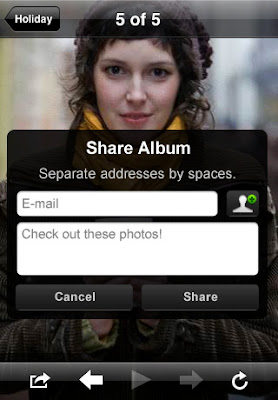
Photoshop.com for iPhone - example


Adobe Systems Inc. has released Photoshop.com Mobile for iPhone, an application + service that allows users to quickly edit and share their photos with simple gestures. The application is free to download and install on any device model (including the iPod touch) running OS 2.0 or later.

Working directly and entirely on the iPhone, “Photoshop.com Mobile is like having your entire photo library in your pocket without wasting your phone's valuable storage space” Adobe explains. “Photoshop.com Mobile is your iPhone companion to Photoshop.com, your online photo sharing, editing and hosting resource.” Adobe reveals that users can create a free Photoshop.com account and upload as much as 2GB of photos online, providing options to edit and share those photos from the web interface as well.

“It's now easy to improve photos on your iPhone,” the iTunes App Store description reads. “Choose between a variety of one-touch Effects, or simply drag your finger across the screen to quickly crop, rotate, or adjust a photo's color. Get artistic by applying Filters like Soft Focus or Sketch,” the people behind Flash explain. The undo and redo functionality is also available, while the original photo is always backed up. The key features of Photoshop.com for iPhone are listed below:

• Basics: Crop, Rotate, and Flip;
• Color: Exposure, Saturation, Tint, Black and White;
• Filters: Sketch, Soft Focus;
• Effects: Vibrant, Pop, Border, Vignette Blur, Warm Vintage, Rainbow, White Glow, Soft Black and White.

By accessing your Photoshop.com account, Photoshop.com for iPhone gives you complete access to your entire online photo library. “Relive the memories and laughter with your friends and family anytime, anywhere. Show off all of your favorite photos with instant slideshows. It's like keeping thousands of photos right in your pocket!” Adobe concludes.
Use the link below to get a copy of the app.


Quote:
Photoshop.com Mobile descriptionPhotoshop.com Mobile is your iPhone companion to Photoshop.com, your online photo sharing, editing and hosting resource. Create a free Photoshop.com account to upload and store 2GB of photos online.

Photoshop.com Mobile for iPhone lets you easily edit and share your photos with simple gestures directly on your iPhone. Photoshop.com Mobile is like having your entire photo library in your pocket without wasting your phone's valuable storage space.

Here are some key features of "Photoshop.com Mobile":

· Basics: Crop, Rotate, and Flip
· Color: Exposure, Saturation, Tint, Black and White
· Filters: Sketch, Soft Focus
· Effects: Vibrant, Pop, Border, Vignette Blur, Warm Vintage, Rainbow, White Glow, Soft Black and White

Requirements:

· Compatible with iPhone and iPod touch
· iPhone OS 3.0 or later:

http://itunes.apple.com/WebObjects/MZStore.woa/wa/viewSoftware?id=331975235&mt=8

Wednesday, September 23, 2009

How to install applications in your iPod/iPhone

How to install applications in your iPod/iPhone

Hello, this is supposed to be a support thread for the "usual steps" to make when installing a cracked app.

Requirements.

You need a jailbroken iPhone/Pod with firmware 2.X (instructions can be found in a lot forums in the net)
You need a SSH server running on it. The most common is openSSH and it can be found on Cydia.
Installing.

1) Download and extract the app from the supplied links
2) Upload your app to the /Applications folder of your iPhone.
3) Set the permissions of the app to 755 recursively.
4) Create a folder called “Documents” in /var/mobile/ and set permission to 777.
5) Create a folder called “Documents” in the /Applications folder and set permissions
to 777.
This will fix the Disk Full error message seen when launching the game.
6) Reboot your Device.

SSH using the terminal.

This instructions are for those of you that feel comfortable around the terminal.

1) First you should find your device's IP. Under Settings->Wi-Fi-> Your Network


2) Then we copy the app to your phone using the scp utility.

#Assuming your app is in your desktop.#Password is alpine by defaultscp -r ~/Desktop/yourApp.app root@your.device.ip:/Applications/

3) Then we go into the device and make the dirs, chmod as needed

ssh root@192.168.1.117
#root@192.168.1.117's password:
cd /Applications
chmod -R 755 yourApp.app/
mkdir Documents
chmod 777 Documents/
cd /var/mobile/
mkdir Documents
chmod 777 Documents/
#Now respring with
killall SpringBoard
logout

If the app still doesn't appear reboot your device.

SSH using Transmit

Connect to your device using SFTP.

The default password is alpine


Go to / and then Applications


Copy your app there and then change the permissions to 755 using the get info command.

Press Apply to enclosed items.

Create and change the permissions of the necessary folders using the same steps.

Now respring your device.

You have two options.

1. paste this in your terminal.

ssh root@your.device.ip killall SpringBoard

2. Install a Respring utility from Cydia.

Everything should be working now, if not try rebooting your device.

Hints If the file you downloaded is a .ipa instead of a .app you can extract the .app from there.
Rename the .ipa to .zip and unarchive it.There should be a "Payload" folder, inside there should be the .app, just ssh it over and your done.

How to install Applications on iPhone/iPodtouch using the IPA-Method

This is my preferred method cause once modified you can use iTunes to manage all the apps.

1) Using SSH (over Terminal or Transmit (Cyberduck)), on iPhone navigate to the folder:

"/System/Library/PrivateFrameworks/MobileInstallation.framework/"

2) Backup the file "MobileInstallation" from the directory above

3) Download this patched file -

http://rapidshare.com/files/133683648/MobileInstallation.zip

4) Copy the patched file over to:

"/System/Library/PrivateFrameworks/MobileInstallation.framework"

5) Set permissions to that new file to 775

6) Some of the apps need a Documents folder in the root and mobile partition:Create a

"Documents" folder in "/Applications" and "/var/mobile" and set permissions to 777.

7) Reboot your iPhone - Important! Otherwise your Apps will not install!

8) Simply start iTunes on your Mac and than drag and drop your cracked IPA's to the "Program list".

9) Sync your iPhone/iPodTouch with iTunes

iPhone PC Suite 2.5.2.96

iPhone PC Suite 2.5.2.96


Here are some key features of "iPhone PC Suite"

New Functions:

1.Support iTunes 9

2. Added support for .deb apps in Apps management

3. Added important data auto-backup function

4. Added eMagazines multiple tasks download and download management functions in Books management

5. Added “cancel current theme” function in Themes management

6. Added installed apps list backup and restoration functions in Backup & Recovery

7. Added search function in List view of Calendar management, supporting search by title, address or remarks

8. Support drag-and-drop to automatically create “new event” in Week and Day view of Calendar

9. Support double-clicking to create “new event” in Month view of Calendar

10. Added left and right arrow button in Month, Week and Day view of Calendar, allowing users to switch time backward and forward by clicking them

11. Added grouping by day function with event type shown in List view of Calendar

Function Improvements:

1. Improved the Month, Week, Day and List view, interface and operation in Calendar

2. Improved the date ActiveX of event editing in Calendar, supporting selecting date and modifying time

3. In Day and Week view of Calendar, applied new background color in event area when the label is scrolled close to current time automatically

4. In Record Manager, added support for filtering voice memo whose duration is 0 when you are importing voice memos

5. In SMS management, added contacts sorting, and search type display in the search box

6. In Books management, added sorting by file name

7. Adopted “Hour” as the unit of auto-update time of subscribed RSS news

8. In SMS chat, search and filter functions are supported whilst you are adding contacts

9. Automatically check and fix the SMS grouping problems occurred when you are sending or managing SMS

10. Added “SMS” button in SMS chat, allowing you to access SMS management function quickly

11. In Books management, auto-split won’t be done by default any more when you are adding new books

12. Other improvements

Bug Fixes:

1. Fixed the problem that the program may crash when you are adding book name and the name you enter is too long

2. Fixed the problem that the display of voice memo duration may be inaccurate

3. Fixed the problem that books may not be imported from iPhone successfully when you are conducting “One-key Transfer”

4. Fixed the problem that picture editing and deleting may not be successfully conducted in full-screen preview mode of Pictures management

5. Fixed the problem that some pictures may keep rotating in full-screen preview mode of Pictures management

6. Fixed the problem that the sender and receiver may be reversed in dialogue box mode of SMS exporting

7. Fixed the problem that the window that reminds you to close the program may still pop up when you turn off the phone

8. And some other bug fixes

Download

Version :2.5.5.101
Requirements :1.0.1,1.0.2,1.1.1,1.1.2,1.1.3,1.1.4,2.0,2.0.1,2.0.2,2.1,2.2,2.2.1,3.0,3.0.1
Size : 27490 kb
Added : 2009.09.15
License: Free

Disclaimer

Disclaimer: This blog does not host any files on its server. All Mobile Phone Softwares,Wallpapers, Games, Themes Sport Links or any other stuff on this blog have been collected from various sources from Public Domains. So I am not responsible for any kind of deletion of files or copyright matters. If you are the rightful owner of anything and object to them being displayed, please COMMENT on my blog or Email us blogformobile@yahoo.com for removal.