Search Term:

Saturday, October 24, 2009

JAF Nokia BB5Plus No TP Unlocker v2.01 FREE by Zulea

JAF Nokia BB5Plus No TP Unlocker v2.01 FREE by Zulea
Added "Make unlocked PM" function (can be safely used on all new BB5+ who have write protectede PM120 and PM308) This function create unlocked PM (fields 120 and 308) file in text (*.PM) format. For unlock phone, have to write this file using any box software like JAF, MT, UB, ... Some new models like 5800, N85, ... require SX4 PM authorization before! - Included PM120 in backup and restore operations for BB5+ phones - All backups are now saved in PM format too (can be used with another boxes)

Thursday, October 22, 2009

iPhone SDK 3.1.2 Available for Download

iPhone SDK 3.1.2 Available for Download

Apple updates iPhone development tools in tandem with iPhone OS update

iPhone SDK logo


Alongside the release of iPhone OS 3.1.2 yesterday, iPhone SDK 3.1.2 was also made available for free download via Apple’s Downloads section. For developers, instruments can now profile their application on a device via the WiFi connection, while the iPhone Development grouping now collects crash logs, install bundles, and provisioning profiles in a single location, these being just two of the changes delivered with this update.

According to the changelog for the iPhone OS 3.1.2, the update contains bug fixes and improvements, including fixes for a sporadic issue that may cause the iPhone to not wake from sleep, an issue that may interrupt cellular network services until restart, as well as a bug that could cause occasional crash during video streaming. On the SDK front, update 3.1.2 brings the following changes, according to Apple’s website:

What’s New in this Version

- Instruments can now profile your application on a device via WiFi connection. Read the release notes for instructions on how to set this up for your devices.
- Organizer: the iPhone Development grouping now collects crash logs, install bundles, and provisioning profiles in a single location.
- iPhone OS 3.1 Simulator uses frameworks more closely matching the device.

“With over 1,000 new APIs, iPhone SDK provides developers with a range of new possibilities to enhance the functionality of their applications,” the company headquartered in Cupertino, California, says. “New APIs also provide support for applications to communicate with hardware accessories attached to iPhone or iPod touch.”

In order to access the iPhone SDK 3.1 and additional technical resources and information from Apple, users must log in with a valid iPhone Developer Apple ID and password. Via the link below, those who aren’t currently registered with Apple can sign up immediately and get access to the iPhone SDK for developing iPhone and iPod touch applications.

Download Apple iPhone SDK (Free)

Quote:
Apple iPhone SDK descriptionAllows one to develop applications that run on iPhone and iPod touchWith this software you can develop applications that run on iPhone and iPod touch. Includes the Xcode IDE, Instruments, iPhone simulator, frameworks and samples, compilers, Shark analysis tool, and more.NOTE: In order to download this application, you need to log in with your Apple ID. The Apple iPhone SDK 3.1 Beta 3 is for development and testing only and should be installed on devices dedicated to iPhone OS 3.1 beta software development.WARNING: Before installing and developing with this version of the iPhone SDK, you must first upgrade your Mac system to Mac OS X v10.5.7 or later.What's New in This Release: [ read full changelog ]· Instruments can now profile your application on a device via WiFi connection. Read the release notes for instructions on how to set this up for your devices.· Organizer: the iPhone Development grouping now collects crash logs, install bundles, and provisioning profiles in a single location.· iPhone OS 3.1 Simulator uses frameworks more closely matching the device.

http://developer.apple.com/iphone/sdk1/

Wednesday, October 21, 2009

Adobe Releases Photoshop For iPhone

Adobe Releases Photoshop App for iPhone - Free Download

Edit and share photos anywhere

Photoshop.com for iPhone - example


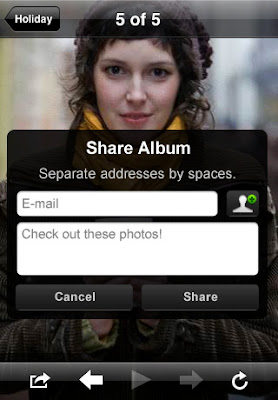
Adobe Systems Inc. has released Photoshop.com Mobile for iPhone, an application + service that allows users to quickly edit and share their photos with simple gestures. The application is free to download and install on any device model (including the iPod touch) running OS 2.0 or later.

Working directly and entirely on the iPhone, “Photoshop.com Mobile is like having your entire photo library in your pocket without wasting your phone's valuable storage space” Adobe explains. “Photoshop.com Mobile is your iPhone companion to Photoshop.com, your online photo sharing, editing and hosting resource.” Adobe reveals that users can create a free Photoshop.com account and upload as much as 2GB of photos online, providing options to edit and share those photos from the web interface as well.

“It's now easy to improve photos on your iPhone,” the iTunes App Store description reads. “Choose between a variety of one-touch Effects, or simply drag your finger across the screen to quickly crop, rotate, or adjust a photo's color. Get artistic by applying Filters like Soft Focus or Sketch,” the people behind Flash explain. The undo and redo functionality is also available, while the original photo is always backed up. The key features of Photoshop.com for iPhone are listed below:

• Basics: Crop, Rotate, and Flip;
• Color: Exposure, Saturation, Tint, Black and White;
• Filters: Sketch, Soft Focus;
• Effects: Vibrant, Pop, Border, Vignette Blur, Warm Vintage, Rainbow, White Glow, Soft Black and White.

By accessing your Photoshop.com account, Photoshop.com for iPhone gives you complete access to your entire online photo library. “Relive the memories and laughter with your friends and family anytime, anywhere. Show off all of your favorite photos with instant slideshows. It's like keeping thousands of photos right in your pocket!” Adobe concludes.
Use the link below to get a copy of the app.


Quote:
Photoshop.com Mobile descriptionPhotoshop.com Mobile is your iPhone companion to Photoshop.com, your online photo sharing, editing and hosting resource. Create a free Photoshop.com account to upload and store 2GB of photos online.

Photoshop.com Mobile for iPhone lets you easily edit and share your photos with simple gestures directly on your iPhone. Photoshop.com Mobile is like having your entire photo library in your pocket without wasting your phone's valuable storage space.

Here are some key features of "Photoshop.com Mobile":

· Basics: Crop, Rotate, and Flip
· Color: Exposure, Saturation, Tint, Black and White
· Filters: Sketch, Soft Focus
· Effects: Vibrant, Pop, Border, Vignette Blur, Warm Vintage, Rainbow, White Glow, Soft Black and White

Requirements:

· Compatible with iPhone and iPod touch
· iPhone OS 3.0 or later:

http://itunes.apple.com/WebObjects/MZStore.woa/wa/viewSoftware?id=331975235&mt=8

Disclaimer

Disclaimer: This blog does not host any files on its server. All Mobile Phone Softwares,Wallpapers, Games, Themes Sport Links or any other stuff on this blog have been collected from various sources from Public Domains. So I am not responsible for any kind of deletion of files or copyright matters. If you are the rightful owner of anything and object to them being displayed, please COMMENT on my blog or Email us blogformobile@yahoo.com for removal.